Every unit tagged. Every request on your phone.
Put a QR tag inside each unit’s door. A tenant scans it to ask for a repair, and the request reaches your phone already knowing which unit it came from.
Keep AppFolio or Buildium for your books. This handles the maintenance side: requests, work orders, equipment and who fixed what. Rent from the tag is optional.
No per-unit fees: the same price for 12 units or 1,200. Pro is $9.99 a month or $79.99 a year for one person, and a Team plan for your staff is $39.99 a month for 5 people, you included. 7-day free trial for first-time subscribers.
What people using it say
Real reviews from the App Store and Google Play. Tap a card to read it on the store.
Keeping track of our building equipment and maintenance records is much easier with this app. The ai nameplate scanner saves a lot of time, too. Highly recommend it to anyone working in facility management.
This is an awesome app for companies to use! You can track service history, inventory, and all the information on your equipment. You can even keep track of special tools with a tool checkout system. Any technician can walk up to a piece of equipment and instantly pull up its complete service history. You can also keep track of vendors, maintenance schedules, filter and belt changes, and much more. I actually had a maintenance guy call me saying he needed a motor for a unit. I was able to pull over, look up the unit, get all the information I needed, and order the correct motor right from the information in the app. It's a great way to keep all your equipment, maintenance, inventory, and service information organized and easily accessible for your entire team.
A selection of the written reviews on both stores. Reviews from the developer and his family are left out.
Built and supported by Jonathan M. Curtis, a working HVAC service technician. Questions? Write to support@equipment-tracker.com.
What it does for a property manager
Free: buildings, units, tenants, equipment, work orders and maintenance reminders. Pro: everything tenants and vendors touch (door tags, rent from the tag, vendor sign-in, equipment QR pages) and the web dashboard.
Work orders, and vendors who don’t need the app
Your plumber doesn’t need the app: they scan the tag on the water heater and log what they did, and you approve it. Turn a tenant request into a work order with one tap and follow it from Open to Done.
A QR sign at the building door logs every vendor who scans it in and out, and emails or texts you when they arrive. On a Team plan, you assign each job to someone on your staff.
Every unit’s equipment, and who fixed what
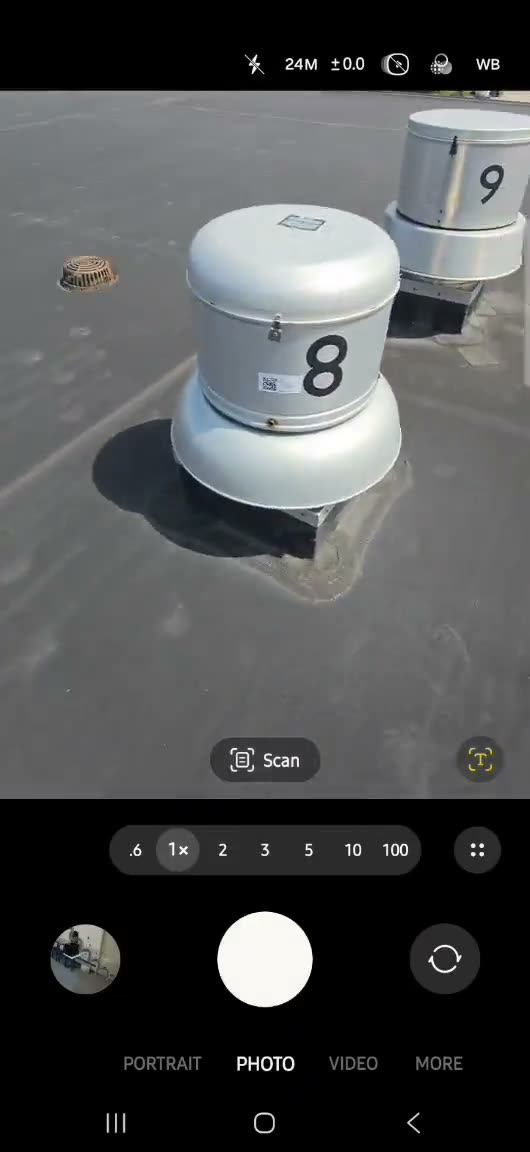
Put a QR tag on the furnace, the water heater, the rooftop unit. Anyone who scans it sees the model, the serial number and the service history on a web page, with no app and no login.
A finished work order on a piece of equipment goes into its history, so the record stays complete even when somebody else did the work.
Recurring maintenance reminders
Filters, smoke detectors, gutters: set each one to repeat every so many days, weeks or months, and your phone reminds you before it is due. Marking it done logs it and sets the next date.
Rent from the tag, if you want it
Record each unit’s rent, and BILL RENT makes the month’s bill. While a bill is open, the tenant’s own door tag shows a Pay rent button, and no amount, name or contact appears until the tenant types the email or phone number you have on file.
Card and bank payments go into your own Stripe account, the payments account you connect once from the app, for a fee of 0.5% per payment, never more than $10, on top of Stripe’s. PayPal and Venmo payments go straight to you, and you record them by hand.
Getting set up
-
1
Add your buildings and units
List each building, its units and who lives in each one. Choose One home for a single rental house, or Apartments or suites for a building with several units.
-
2
Add a tenant alert contact
Give the building’s tenant alert list an email or a text number. The app will not print a door tag until it has one, and texts go only to numbers that have opted in.
-
3
Print the tags and put them up
Print each unit’s tag and put it inside the door, or hand it over at move-in.
-
4
Requests come to you
Turn a request into a work order. When it is done, it goes into the building’s service history, marked with the unit.
What it costs
Free
$0
to download and use
Buildings, units and tenants, equipment, service history, work orders and recurring maintenance reminders on your phone.
Pro
$9.99
a month, or $79.99 a year, for one person
Door tags and tenant requests, rent from the tag, card and bank payments, equipment QR pages, vendor sign-in, cloud backup and the web dashboard.
Team
$39.99
a month for 5 people, you included
Everyone on your staff gets Pro with their own login, in one shared account. The roles are fixed: Managers see invoices and rent, Techs do the work, Viewers only look. Each further 5 seats is $40 a month, up to 50.
Every plan has a 7-day free trial for first-time subscribers.
Full pricing and what each plan includes →Questions
Do I still need AppFolio or Buildium?
Keep them for your books: leases, accounting and owner statements. This does not connect to them and does not import a rent roll. It handles the maintenance side: tenant requests, work orders, vendors, the equipment in each unit and who fixed what. Taking rent from the door tag is optional.
What does a tenant see, and who sees their details?
The tag page shows the building and unit and whatever you choose to add, such as your office hours or emergency number, with the equipment there and its recent service. A tenant’s name, phone and email are never on it. In the app, your team can see tenant details, and only you and your Managers can change them.
What happens if a tenant reports a gas leak?
They do not get a form. Four safety questions come first: gas, fire or sparking, water running or flooding, and a door that will not lock. Any of them replaces the form with what to do: for gas, leave and call from outside; for fire, get out and call 911; for flooding or a door that will not lock, call right away. Your emergency or office number is shown if you have set one.
How does a tenant pay rent from the door tag?
While the unit has an open rent bill and a way to pay is switched on, the tenant’s own door tag shows a Pay rent button. No amount, name or contact is shown until the tenant types the email or phone number you have on file. Then they pay by card or bank through your connected Stripe account, or by PayPal or Venmo, which you record by hand.
What happens to the tags if I stop paying?
The tags stay where they are and the page still opens, but repair requests sent through it stop going through until Pro is back on. You do not need to reprint anything when you start again.
Who puts the tags up?
You or your staff. Print each tag on letter paper, or as a sticker from the web dashboard, and put it inside the unit’s door or hand it over at move-in. If one is lost or a tenant moves out, replace it from the unit’s screen and the old one stops working straight away.
What does it cost for a property management company?
There are no per-unit fees: the same price for 12 units or 1,200. Door tags need Pro, which is $9.99 a month or $79.99 a year for one person. For your staff, a Team plan is $39.99 a month for 5 people, you included, and each further 5 seats adds $40 a month, up to 50. Every plan starts with a 7-day free trial for first-time subscribers.
Can I use it for a single rental house?
Yes. When you set up units, choose One home for a single house. There is no limit on how many properties you add.
Read next
Tag your first building this week
Download the app, add a building and its units, and print the first door tag. Every plan starts with a 7-day free trial for first-time subscribers.