Scan the nameplate. Tag the unit. Get paid before you leave.
For the tech on the roof and the company behind him.
Your whole crew: $39.99 a month for 5 people, you included, and every one of them gets Pro. Just you: $9.99 a month or $79.99 a year. Free to download, with 10 free AI scans. 7-day free trial for first-time subscribers.
What people using it say
Real reviews from the App Store and Google Play. Tap a card to read it on the store.
This is an awesome app for companies to use! You can track service history, inventory, and all the information on your equipment. You can even keep track of special tools with a tool checkout system. Any technician can walk up to a piece of equipment and instantly pull up its complete service history. You can also keep track of vendors, maintenance schedules, filter and belt changes, and much more. I actually had a maintenance guy call me saying he needed a motor for a unit. I was able to pull over, look up the unit, get all the information I needed, and order the correct motor right from the information in the app. It's a great way to keep all your equipment, maintenance, inventory, and service information organized and easily accessible for your entire team.
I have been in need of a formal equipment tracker for 15+ years of mechanical / HVAC service work! This application provides detailed mechanical equipment tracking, photos with ease of generating reports to share with field technicians, office workers and customers. I highly recommend this to anyone that finds the need to be detailed, organized and professional. 5 starts!!
A selection of the written reviews on both stores. Reviews from the developer and his family are left out.
Built and supported by Jonathan M. Curtis, a working HVAC service technician. Questions? Write to support@equipment-tracker.com.
What it does for the tech, and for the company
Scan a nameplate instead of typing it
10 free scans, then Pro
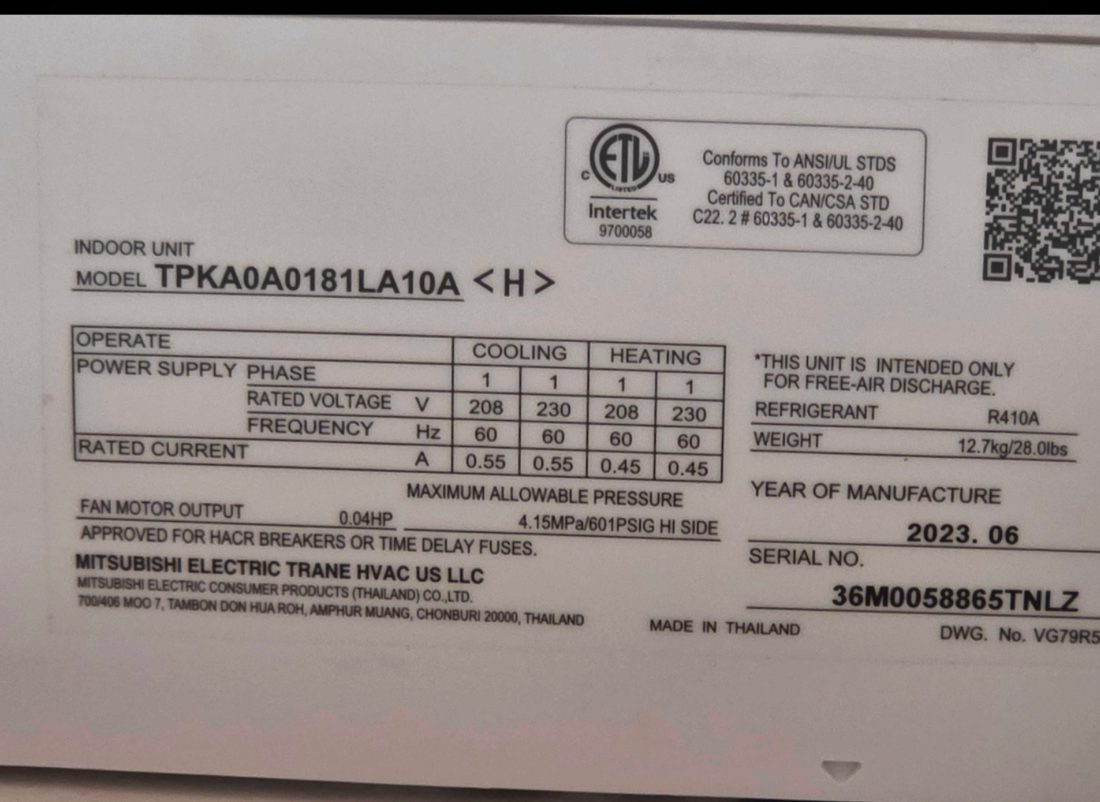
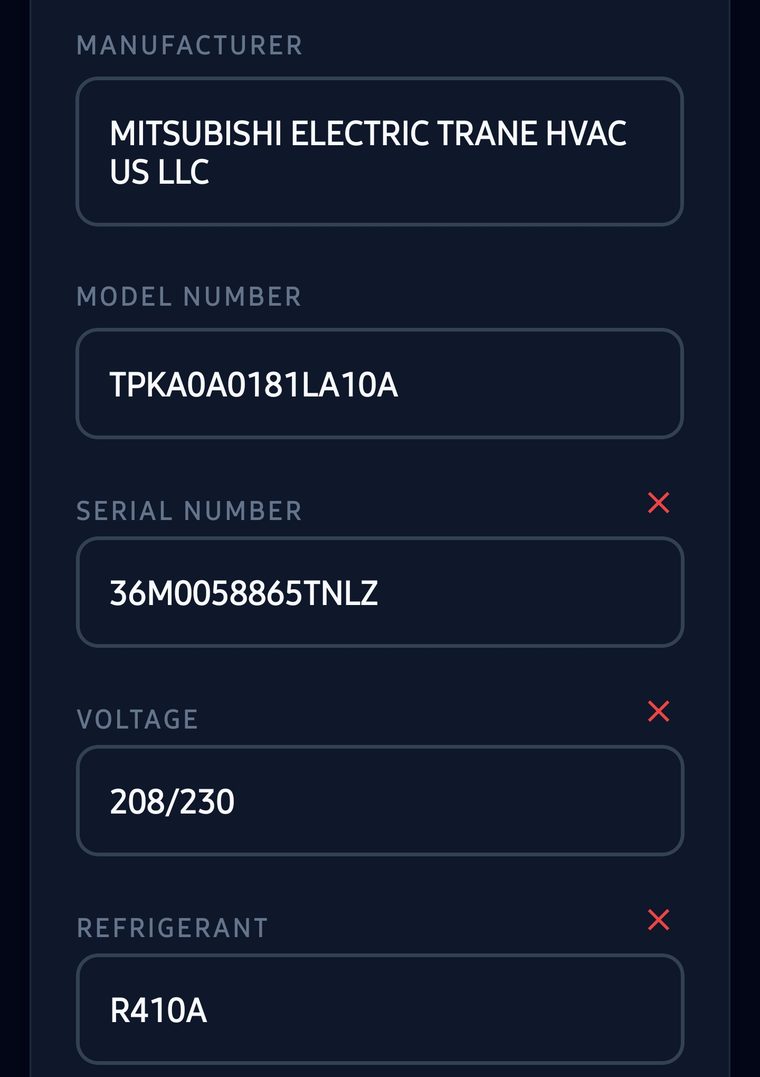
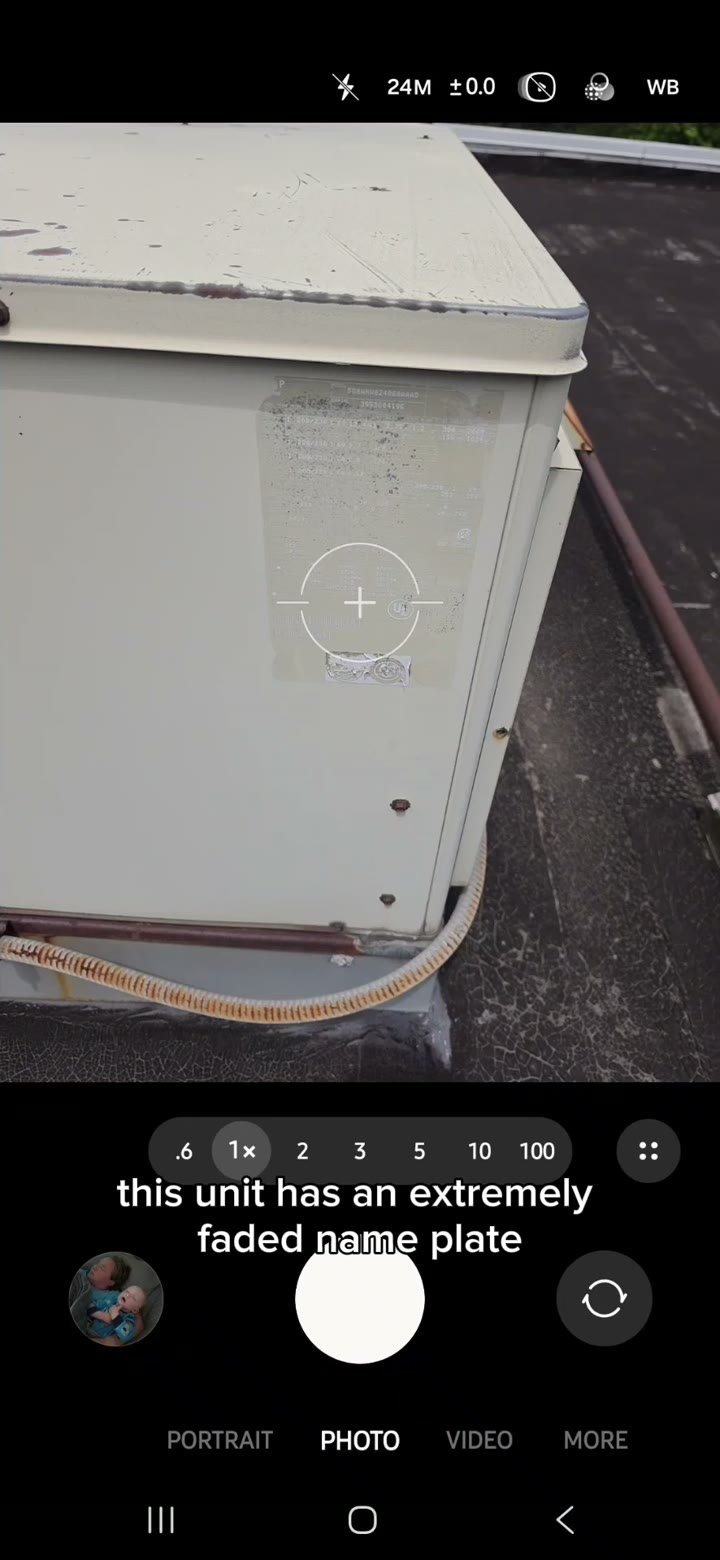
Take a photo of the data plate, even a faded one, as long as the text is still legible. The AI fills in the manufacturer, model and serial, voltage, phase, MCA and MOP, refrigerant and charge, and whatever else the plate prints. It reads parts and tools with a plate the same way.
The photo is read in the cloud, so scanning needs a signal. Equipment, parts, service logs, PMs and invoices work without one.
The unit’s history on a QR tag
Web-page tags: Pro
Stick a QR label on the unit. The next tech who scans it with any phone camera sees the specs and every service visit on a web page, with no app and no login, and can log their own visit for you to accept.
Run the crew: PMs and work orders
Free; assigning needs Team
Set a recurring PM on one unit or a whole site, or start from a preset such as filter changes or coil cleaning. Work orders move from Open to In Progress, On Hold and Done, with hours and parts logged, and finished work goes into the equipment’s history.
On a Team plan you assign each PM and work order to a tech, and each tech has their own login. A job you cannot take can go to a subcontractor with their own Pro account.
Maintenance agreements your customer signs
Build free; send with Pro
Build the agreement for a building: the rooms, the equipment, the tasks, how often each one is done and what you charge. Send it to the customer to sign online, and your techs work from the same plan without ever seeing a price.
Invoice the job and get paid on the spot
Invoices free; card payments Pro
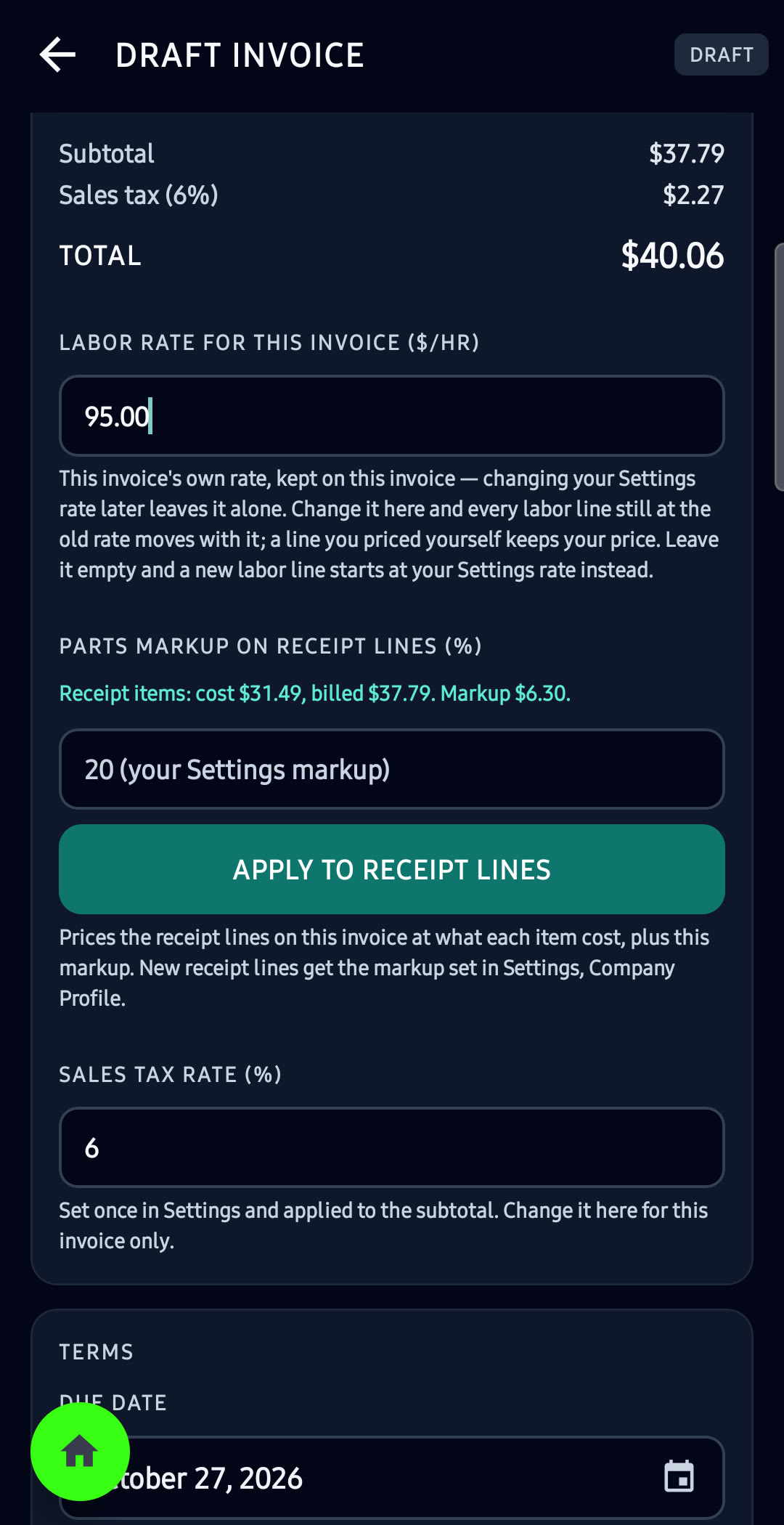
Turn a finished work order or PM visit into an invoice with the hours, rate and parts already on it. Scan the supply-house receipt and bill the parts at cost plus your markup; reading a receipt uses your 10 free AI scans, then Pro.
The customer pays from a link or a QR code on your screen: card or bank into your own Stripe account with Pro, for 0.5% per payment and never more than $10, or PayPal or Venmo on any plan.
EPA 608 leak rates, worked out for you
Free on every plan
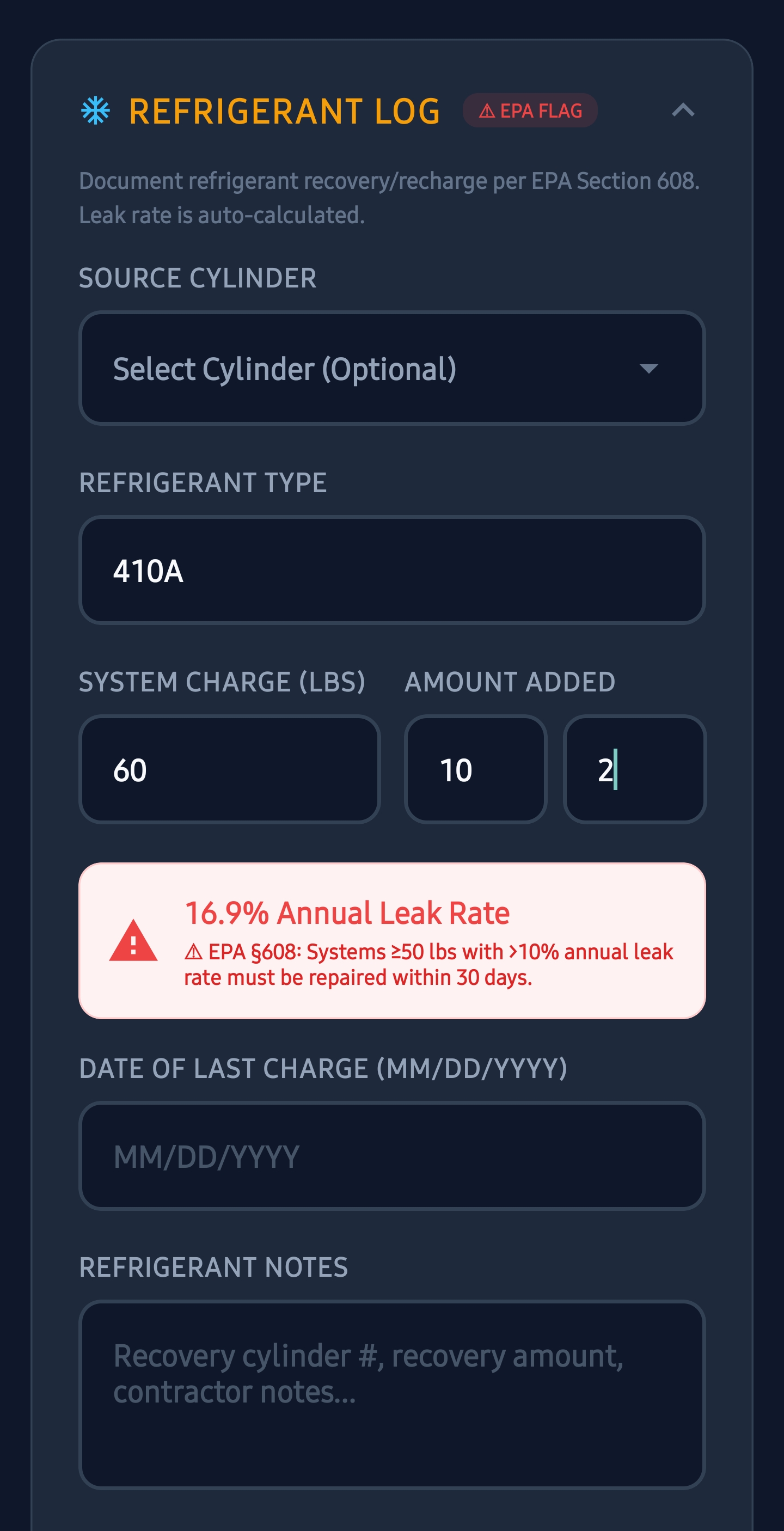
Log the refrigerant you added and the system charge, and the app works out the leak rate, annualized when you enter the date of the last charge. It flags the visit when the rate crosses 10% for comfort cooling, 20% for commercial refrigeration or 30% for industrial process refrigeration, on systems holding 15 lb or more of an HFC, or 50 lb or more of R-22 or another ozone-depleting refrigerant.
How it works
-
1
Scan the nameplate
The equipment goes into your list with its specs, filed under the customer’s site.
-
2
Tag it
Print a QR label for the unit and stick it on.
-
3
Service it and bill it
Log the visit, the parts and the refrigerant, and send the invoice. The next tech who scans the tag sees all of it.
What it costs
Free
$0
to download and use
Unlimited equipment and sites, service logs, parts, PM schedules, work orders, invoices, the EPA leak rate calculator and 10 free AI scans.
Pro
$9.99
a month, or $79.99 a year, for one person
AI scanning after the first 10, QR tags that open a web page, card and bank payments, sending agreements to be signed, PDF reports, cloud backup and the web dashboard.
Team
$39.99
a month for 5 people, you included
Every tech gets Pro, with their own login, on one shared account. The roles are fixed: Owner, Manager, Tech and Viewer. Add 5 more seats for $40 a month, up to 50. Billed monthly.
Every plan has a 7-day free trial for first-time subscribers.
Full pricing and what each plan includes →Questions
Does it replace ServiceTitan or Housecall Pro?
No. There is no drag-and-drop dispatch board and no online call booking. It covers the equipment side of the work: nameplates, each unit’s history on a QR tag, PMs, work orders, maintenance agreements and invoices your customer can pay on the spot.
Does it connect to QuickBooks?
No. There is no QuickBooks or Xero sync or export. Invoices and payments are kept in the app, and each invoice can be sent to the customer as a PDF.
Can my techs see what I charge?
Invoices and the prices on a maintenance agreement are hidden from Techs and Viewers in the app. A tech who finishes a job can enter the hours, the rate and the materials, and sees your default labor rate there.
How much is it for a crew?
A Team plan is $39.99 a month for 5 people, you included, which is about $8 a person, and every one of them gets Pro. Each further 5 seats adds $40 a month, up to 50. The people you invite pay nothing, and there is a 7-day free trial for first-time subscribers.
Are the 10 free AI scans every month?
No. They are a one-time allowance for your account, and one allowance per phone, shared by nameplate, receipt, condition and diagnostic scans. After that, AI scanning is Pro.
Does it work without cell signal?
Yes. Equipment, parts, service logs, PMs, work orders and invoices are saved on the phone and work with no signal. AI scanning needs a connection, and so do cloud backup, the QR web pages and the web dashboard.
Can I bring in the equipment list I already have?
Yes. In the app, Import ZIP / CSV on the home screen brings in a spreadsheet, free. With Pro you can also use the importer on the web dashboard, which saves straight to your cloud account.
Is the EPA leak rate calculator free?
Yes, on every plan including the free one. The thresholds are United States federal rules, so with the app set to metric units it gives you the leak rate and a note about your own country’s rules instead.
Read next
Scan your first nameplate today
Download the app and point it at a data plate. Your 10 free scans are waiting, core tracking stays free, and a Team plan trial puts your whole crew on it for 7 days.