When the AC quits, have the model number, warranty and last service ready.
Keep your furnace, air conditioner, water heater and appliances in one place, with the model, serial number, warranty and every service visit, and get a reminder before maintenance is due.
Free to download and free to use: your records live on your phone. Pro backs them up to the cloud for $79.99 a year, about $6.67 a month, or $9.99 a month. 7-day free trial for first-time subscribers.
What people using it say
Real reviews from the App Store and Google Play. Tap a card to read it on the store.
Absolutely love the app. Very easy to use and the features are great. Highly recommended
Keeping track of our building equipment and maintenance records is much easier with this app. The ai nameplate scanner saves a lot of time, too. Highly recommend it to anyone working in facility management.
A selection of the written reviews on both stores. Reviews from the developer and his family are left out.
Built and supported by Jonathan M. Curtis, a working HVAC service technician. Questions? Write to support@equipment-tracker.com.
What it does for a homeowner
Every appliance, with the details you will need
Free
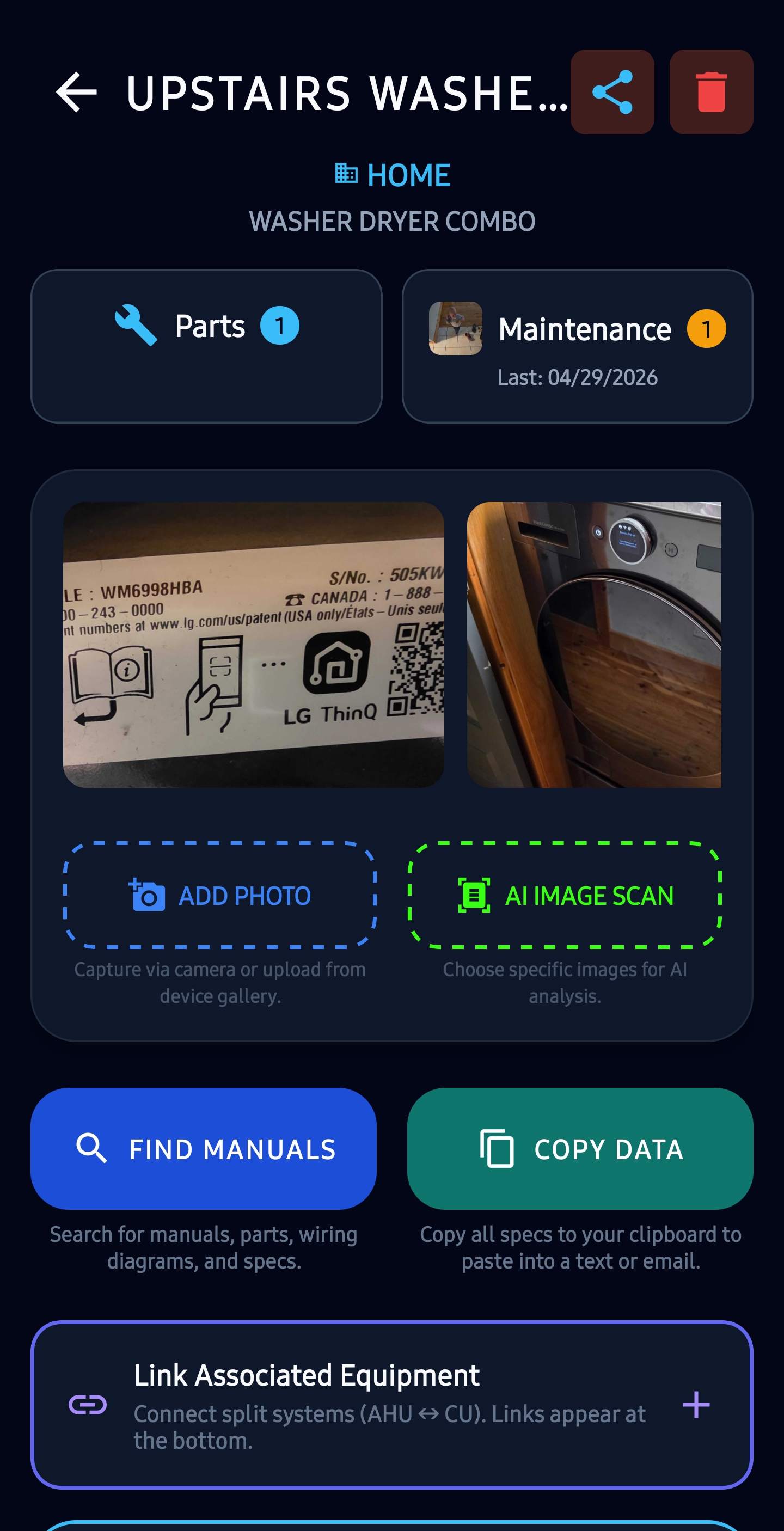
Add each piece of equipment with its photos, the model and serial number, the install date and the warranty end date, so a warranty claim or a replacement quote starts with the facts.
Add a second home or a vacation place as its own location. There is no limit on locations, equipment or photos.
Snap the label instead of typing it
10 free scans, then Pro
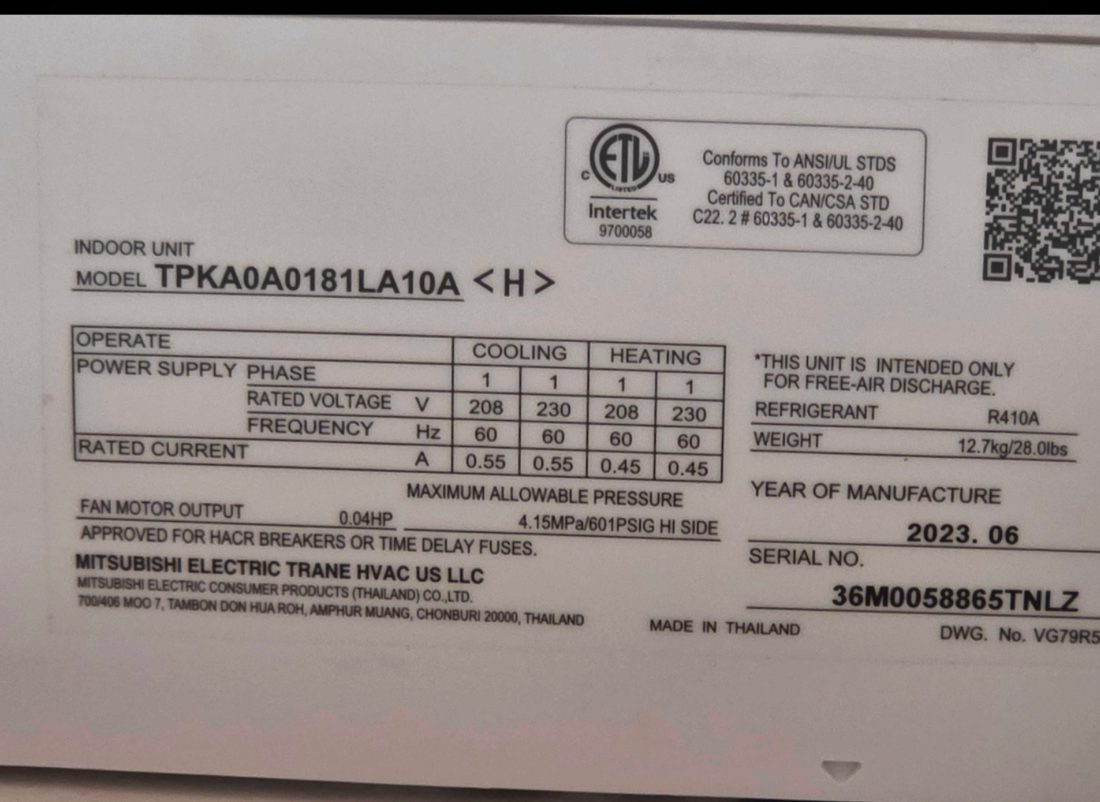
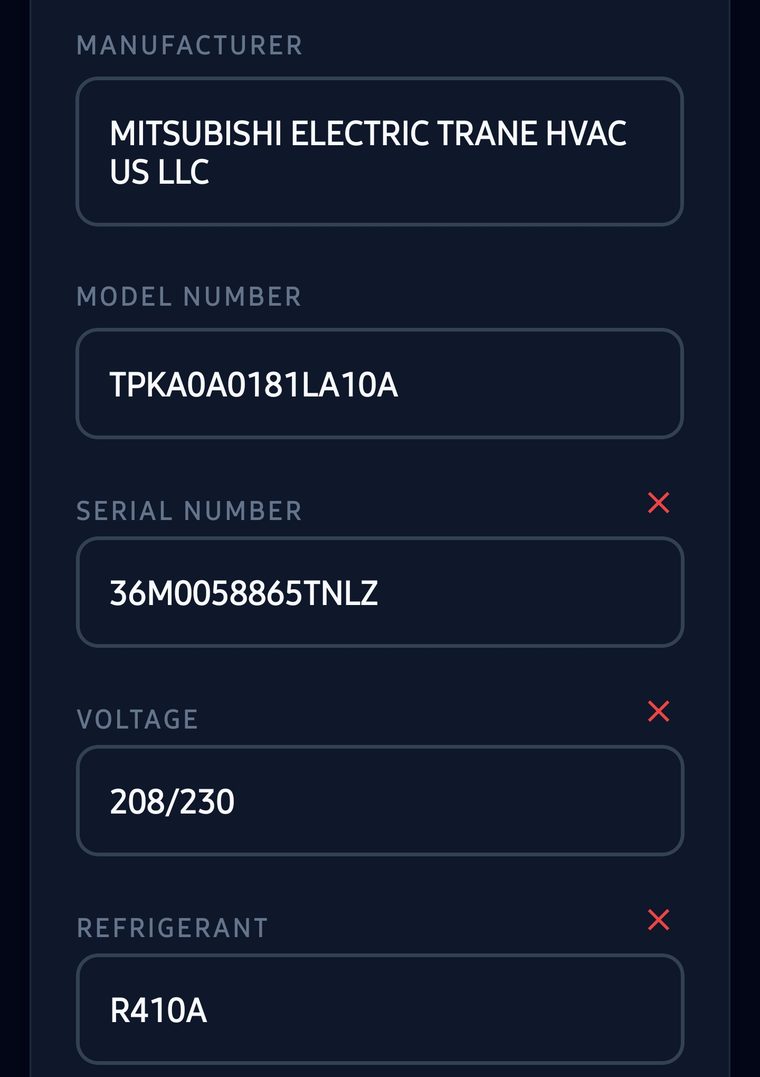
Take a photo of the label on the unit and the AI fills in the brand, model, serial number, voltage and refrigerant for you. You get 10 free label scans, enough for a typical house. It needs a signal, because the photo is read in the cloud.
A reminder before it is due
Free
Set a filter change, a coil cleaning or anything else to repeat every so many days, weeks or months. Your phone reminds you ahead of time, even with no signal, and marking it done logs it and sets the next date.
A service history you can hand to the next owner
History free; handover Pro
Log every visit: the date, who did it, what was done, the parts and the cost, with before and after photos. When a technician asks when the furnace was last serviced, the answer is on your phone.
Selling the house? With Pro, a one-time transfer code hands every record and photo to the new owner’s account.
A QR tag any service tech can scan
Pro
Stick a QR tag on the furnace or the water heater. A technician scans it with their phone camera, with no app, and sees the model, serial number and past service. They can log their visit on the same page, and it comes to you to accept.
How it works
-
1
Add your house
Then add the furnace, the air conditioner, the water heater and the appliances, by photo or by hand.
-
2
Set your reminders
Filter changes, yearly tune-ups, anything that repeats.
-
3
Log each visit
Or, with Pro, let the technician log it from the QR tag. The history builds itself.
What it costs
Free
$0
to download and use
Unlimited equipment, photos, warranty dates, service history and maintenance reminders, kept on your phone. 10 free AI scans. No ads.
Pro
$79.99
a year, about $6.67 a month, or $9.99 a month
Cloud backup, your records on your computer, AI scanning after the first 10, QR tags a technician can scan and log a visit from, and handing the records to a new owner.
Pro has a 7-day free trial for first-time subscribers.
Full pricing and what each plan includes →Questions
Is it really free for a homeowner?
Yes. Tracking your equipment, photos, warranty dates, service history and maintenance reminders is free, with no limit on equipment and no ads. Pro adds cloud backup, seeing it all on your computer, AI scanning after the first 10 free scans, and QR tags a technician can scan.
What happens if I lose my phone?
On the free plan your records are kept on the phone. With Pro, Cloud Backup copies them to the cloud, and you can see them on your computer in any browser.
Can I track a second home or a vacation home?
Yes. Add each house as its own location. There is no limit on locations or equipment. If you rent a place out and want tenants to report problems, see the page for property managers.
Does the technician need the app to scan my QR tag?
No. The tag opens a web page in their phone’s browser, with no app and no login. Tags that open a web page are part of Pro.
Does it work without internet?
Yes. Everything you save is kept on the phone and works with no signal. Only the AI label scan, cloud backup and the QR tag pages need a connection.
Read next
Start with the furnace
Download the app, add your house, and take a photo of the furnace label. It takes a couple of minutes and it is free.